


Upper: Delivery Route Planner
4.241.00 Reviews
App Specs
- Version
- 8.6
- Updated On
- License
- Free
- Downloads
- 10,000+
- Developer
- Upper Route Planner - Easy Deliveries Planning
- Categories
- Maps & Navigation
- Platform
- Android
Screenshots
 Analysis by AppCompare
Have you ever found yourself driving around in circles, desperately trying to figure out the best route for all your deliveries? Trust me, I’ve been there, and it can be a real headache. That’s where Upper: Delivery Route Planner comes into play. This nifty app has been a game-changer for folks in the delivery business, and I’ve taken it for a spin to see what all the fuss is about.
Getting Started with Upper
First things first, downloading Upper: Delivery Route Planner was a breeze. Available on both Android and iOS, it’s super easy to find on the app stores. Once installed, setting up my account was straightforward—just a few basic details, and I was ready to roll. The interface is clean and intuitive, which I really appreciated. No one wants to spend ages figuring out how to navigate an app, right?
Route Planning Made Simple
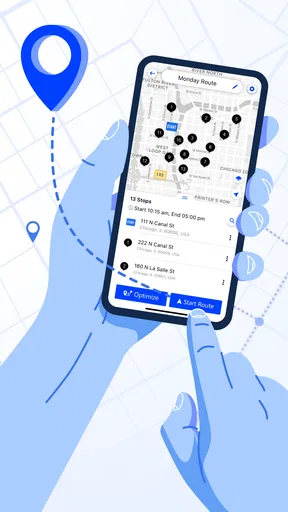
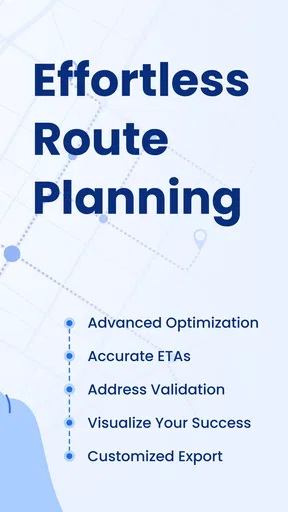
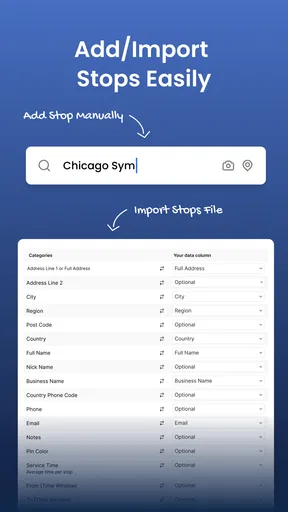
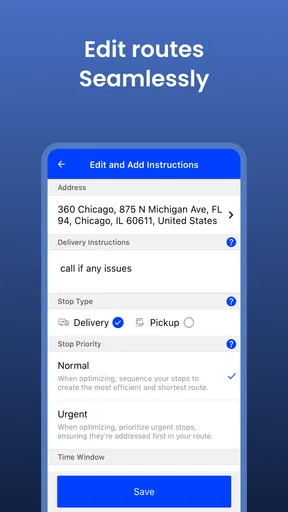
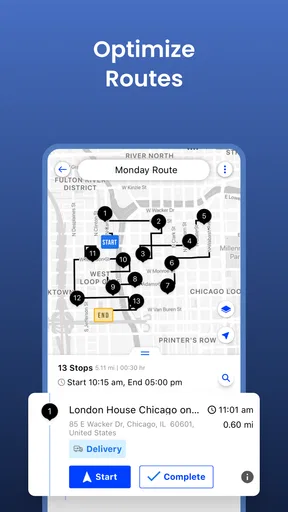
Now, let’s dive into the real magic of Upper: the route planning feature. I was able to input multiple stops, and the app calculated the most efficient route in seconds. This is a huge time-saver, especially if you’re managing a large number of deliveries. Plus, you can even prioritize stops based on urgency, which is pretty handy.
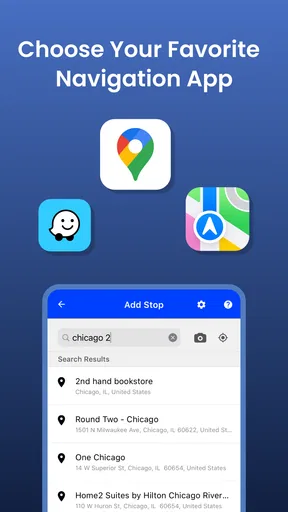
The app also integrates seamlessly with Google Maps, providing real-time traffic updates. This feature saved me from getting stuck in a couple of traffic jams, which is always a win in my book! It’s like having a personal GPS, but smarter.
Additional Features That Stand Out
One thing that really stood out to me is the ability to add notes for each stop. This came in handy when I needed to remind myself about specific delivery instructions or customer preferences. Another cool feature is the customer notification system. You can send automatic updates to customers about their delivery status, which helps keep them in the loop and saves you from making endless phone calls.
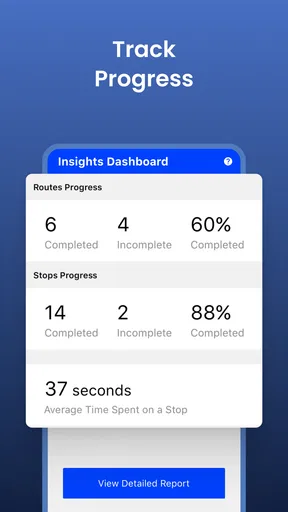
I also appreciated the analytics feature. Upper provides reports on delivery times and distances, which can be crucial for optimizing future routes and improving overall efficiency. It’s like having your own personal logistics manager!
User Experience and Support
Throughout my time using Upper, I found the app to be incredibly reliable. It didn’t crash or lag, even when I added a hefty number of stops. The app’s developers clearly prioritized a smooth user experience, and it shows.
Worth Reading Before You Choose

Flipboard Shows What News Apps Must Do Beyond the Feed

Switching to Android Auto Means Rethinking Your Driving Routine

Google Calendar Makes a Crowded Week Easier to Manage

Ludo King Makes the Most of the Minutes Between Plans

Baby Panda World Brings Quick Play to Modern Phones, but Its Game Library Feels Busy

ESPN’s Live Game View Makes Following Close Games Easier
If you ever find yourself in a bind, Upper offers solid customer support. There’s a helpful FAQ section within the app, and you can reach their support team via email for more personalized assistance. They’re pretty responsive, which is a big plus.
Wrapping It Up
Overall, Upper: Delivery Route Planner is a fantastic tool for anyone in the delivery business. Whether you’re a solo courier or managing a fleet, this app has the potential to streamline your operations significantly. It’s easy to use, packed with useful features, and it genuinely makes route planning a breeze. If you’ve been looking for a way to make your deliveries more efficient, I’d say give Upper a shot. You might just find it’s the app you didn’t know you needed.
Pros
- Optimizes routes for faster deliveries.
- User-friendly interface simplifies planning.
- Real-time traffic updates included.
- Multiple stops can be added easily.
- Reduces fuel consumption significantly.
Cons
- Occasional app crashes reported.
- Limited offline functionality.
- Subscription required for premium features.
- Customer support response can be slow.
- Incompatible with some older devices.
FAQs for Upper: Delivery Route Planner
What features does Upper: Delivery Route Planner offer?
Upper: Delivery Route Planner provides a range of features designed to optimize delivery routes efficiently. Users can input multiple addresses, and the app will calculate the most efficient route, saving time and fuel. It also offers features like proof of delivery, customer notifications, and route optimization for various modes of transport. Integration with other apps and platforms is also supported.
Is Upper: Delivery Route Planner suitable for small businesses?
Yes, Upper is an excellent tool for small businesses looking to streamline their delivery processes. Its user-friendly interface and cost-effective pricing make it accessible for businesses with limited resources. The app's ability to handle multiple routes and provide real-time updates can significantly enhance operational efficiency, making it a worthwhile investment for growing businesses.
How does Upper ensure data security and privacy?
Upper: Delivery Route Planner prioritizes user data security and privacy by implementing robust encryption protocols and secure data storage practices. All user data is protected with the latest security measures, and the app complies with industry standards and regulations to ensure that personal and business information remains confidential and safe from unauthorized access.
Can Upper: Delivery Route Planner be used offline?
While Upper offers many features that require an internet connection, such as real-time updates and customer notifications, the app also supports offline access. Users can download routes and continue to navigate without an active internet connection. This is particularly useful in areas with poor network coverage, ensuring uninterrupted service.
What support options are available for Upper users?
Upper: Delivery Route Planner provides comprehensive support options for its users, including a detailed online knowledge base, video tutorials, and a responsive customer support team. Users can reach out via email or live chat for prompt assistance. Regular updates and community forums are also available, providing a platform for users to share tips and solutions.


